Gusto Mobile
- 4.6
- Rating
- 1.00M
- Installs
- Free
- Price

 Analysis by App-foxy
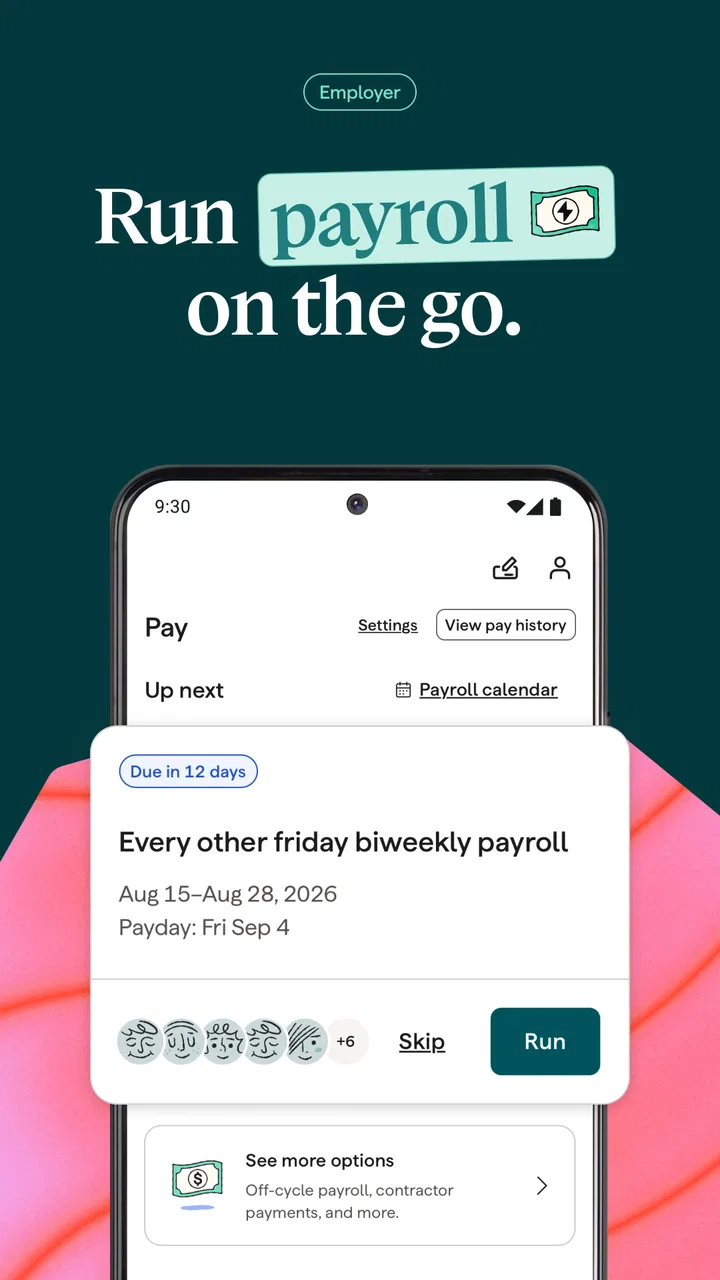
Running a small business from a phone can feel less like freedom and more like carrying a filing cabinet everywhere. Payroll questions arrive while I am away from my desk, an employee needs a document, or I have to check an HR task before the day gets away from me. Gusto Mobile is designed for that kind of moment. It brings Gusto’s payroll, benefits, and human-resources tools into a mobile app, and I found its biggest value in keeping work moving when a computer is not convenient.
This is a finance app from Gusto, Inc., aimed mainly at small-business owners, managers, and employees who already use Gusto’s services. It is free to download and suitable for Everyone, but that age label should not be mistaken for a children’s app. The information inside is business and employment-related, so the important question is not whether a household member can technically open it, but whether that person should have access to the account.
Using Gusto Mobile in a shared household
A realistic example is a couple running a small shop together. One person handles customers during the day, while the other manages payroll and employee paperwork. With Gusto Mobile on a phone, the administrator can deal with a task from the kitchen table or while traveling, instead of waiting until both people are back at the computer. That convenience is useful, but it also makes account boundaries especially important.
You May Also Like

 Blood Strike: 2.5 Anniversary
Blood Strike’s Loadouts Turn Every Drop Into a Tactical Gamble
A close look at Blood Strike’s custom loadouts: how fast access to signature weapons reshapes its battle royale rhythm, rewards preparation, and narrows the gap between fights.

 Pandora - Music & Podcasts
Pandora’s Music Is Easy to Start, but Harder to Recover
Pandora’s strength is its low-effort path from a seed to a station. Its weak spot is how much confidence it asks you to place in connection, setup, and quiet recovery.

 8 Ball Pool
 Is Built on Rivalries, Rematches, and Routine
A close look at the rivalries, rematches, shared routines, and unanswered safety questions that turn a quick pool match into a persistent mobile community.

 Samsung Music
’s Quiet Strength Is Playing What You Already Own
Its reach comes less from spectacle than from dependable access to a personal library. That simplicity is both the app’s strongest retention engine and its ceiling.

 AccuWeather: Weather Radar
AccuWeather Review: A Quick, Clear Forecast for Everyday Decisions
For everyday plans, the best forecast is the one you can understand quickly. AccuWeather makes rain timing, radar, and local conditions easy to act on, with a few trade-offs.

 Hill Climb Racing
Why Hill Climb Racing Still Turns Crashes Into One More Run
A tiny car, a bumpy hill and one more upgrade: Hill Climb Racing keeps resurfacing because its simple chaos makes every near-miss feel personal.
More From Our News Desk



I would not treat this as a general household finance app. It is not a shared budget planner, a bill-splitting tool, or a family money dashboard. Its purpose is tied to a Gusto business account and the people connected with that business. A partner, bookkeeper, or manager may have a legitimate reason to use it, while another family member may have no reason to open it at all.
On a shared device, I would keep the app inside the business owner’s personal device profile whenever possible. If two adults need access, I would make sure each person uses their own authorized account rather than passing around one login. That approach is less convenient than sharing a password, but it creates a cleaner line between personal use and business administration.
The key household rule is simple: shared responsibility does not automatically mean shared account access. Payroll and benefits information can be sensitive even in a very small company. A family member who helps with errands does not necessarily need to see employee details, and an employee should not be given access merely because the business phone sits in a common room.
What the mobile experience is actually good at
Gusto Mobile makes the most sense when the user already understands the company’s Gusto setup and needs a practical way to stay connected to it. The app’s role is not to teach a new business owner every payroll concept from scratch. Instead, it places relevant payroll, benefits, and HR work closer to the moments when decisions have to be made.
I found that distinction important. A mobile app can reduce the friction of checking a task, reviewing information, or responding to routine work, but it does not remove the responsibility of checking details carefully. Payroll is not an area where I would rush simply because the screen is smaller. For complicated changes, a larger display and a quiet workspace may still be the better choice.
The app is particularly useful for a business owner who moves between locations, a manager who is rarely at a desk, or an employee who wants to handle their own Gusto-related tasks without opening a laptop. It can also help two people coordinate responsibilities when one person handles day-to-day operations and another looks after administration.
That said, I would not recommend choosing it as a standalone replacement for every accounting or payroll workflow. If your business does not use Gusto, the app will not suddenly become a universal payroll solution. If you need deep bookkeeping, extensive reporting, or complex administrative work, you may still prefer a desktop browser or a dedicated accounting product alongside it.
Setting up boundaries before anyone else uses the phone
The first setup decision should be deciding who the app is for. Gusto Mobile is free to download, but access to useful information depends on the user’s relationship with a Gusto account and the business. That means installation is only the beginning. Before handing over a phone, I would identify the account holder, the people who genuinely need access, and the tasks each person is expected to handle.
This is especially relevant in a household where a personal phone doubles as a work device. Notifications, saved sessions, and an unlocked screen can blur the line between private life and business work. I would use the phone’s normal security protections, avoid leaving the device unattended while the app is open, and make a habit of closing the work session before lending the phone to someone else.
There is also a practical boundary between viewing information and making changes. A person might need to check a payroll status but not alter employee details. Another person may be responsible for benefits administration but not for approving payments. The app should be used in line with the account permissions and the person’s actual job, rather than with whatever access happens to be easiest.
For a shared business phone, I would create a short handoff routine: finish the current task, sign out or lock the device as appropriate, and tell the next user what still needs attention without exposing private screens. It sounds overly cautious until a business phone is left on a table with employee information visible. A few seconds of discipline are cheaper than untangling an avoidable privacy problem.
Version 3.67.0 supports the current app experience described here, and it requires Android 8.0 or later. That requirement is reasonable for many users, but owners of older phones should check compatibility before planning the app as their only way to manage work. If the device cannot run it, the browser-based Gusto experience may be the more practical route, provided the user’s account and workflow support that approach.
Coordinating payroll and HR work without stepping on each other
The strongest shared-use case is coordination. Imagine one person notices that a payroll task needs attention while the other is handling customers. Instead of waiting for a full meeting, they can agree on who will review the item and who will complete the next step. The app becomes a place to continue work, not a substitute for deciding who owns the work.
I recommend assigning responsibilities before opening the app. For example, one person can be responsible for checking employee-related information, while another handles the final administrative review. This reduces duplicate effort and makes it less likely that two people assume the other person completed something important.
A useful habit is to separate “I saw it” from “I completed it.” Mobile access makes it easy to glance at a task while distracted, then forget whether anything was actually done. I would keep a simple business routine outside the app for noting follow-ups, especially when several people share responsibility. The app can support the workflow, but memory alone is not a reliable coordination system.
For employees, the value is different. An employee may use the app to interact with the Gusto services connected to their workplace without needing to manage the employer’s entire account. That separation is healthy. Employees should not have to borrow an owner’s phone or use a household member’s login to handle their own work-related information.
For managers, the trade-off is speed versus context. A phone is excellent for a quick check or a straightforward action, but it is less comfortable when comparing multiple records or reading a long explanation. I would use the mobile app for timely, focused tasks and move to a larger screen when the decision involves several people, unusual payroll details, or a careful review of records.
This is also where Gusto Mobile differs from a traditional desktop-first payroll workflow. A browser on a computer gives more room for side-by-side review and longer sessions. A general accounting app may offer broader financial tools. Gusto Mobile’s advantage is narrower and more practical: it keeps Gusto-related work within reach when the person responsible is away from the desk.
Age, trust, and the meaning of the Everyone label
The Everyone content rating tells me that the app is not presented as containing age-restricted entertainment. In a family setting, though, that does not make it appropriate for unsupervised child use. The issue is not mature imagery; it is the possibility of viewing or changing business and employee information.
I would explain the app to a teenager in the household as a work tool, not as something to explore. If a young person helps with the family business, they should only use it when the business owner has deliberately decided what role they have and what access is appropriate. A child who borrows the phone to play a game should not be able to wander into a payroll app simply because it was left open.
Trust matters just as much between adults. A spouse, relative, or friend may be perfectly trustworthy in everyday life and still not be the right person to handle payroll. The correct boundary is based on responsibility, training, and account access, not only on personal closeness. This is one reason I prefer separate authorized access over a shared password.
I also would not use the app as a way to monitor another household member’s employment information. If someone has their own employee relationship with a business, their information should remain part of that person’s work account and routine. A shared home does not erase individual privacy.
For older relatives helping with a family company, the main challenge may be comfort with mobile navigation rather than age itself. I would demonstrate one workflow at a time, keep the device’s text and security settings comfortable, and avoid turning the app into a rushed lesson during payroll deadlines. If the phone interface feels cramped or confusing, the desktop version may be kinder and safer for that user.
How it compares with the usual alternatives
Compared with using Gusto only through a desktop browser, the mobile app wins on availability. A manager can respond while away from the office, and an owner does not have to postpone every small task until the evening. The browser still has an advantage for extended reviews, detailed navigation, and work that benefits from a larger screen.
Compared with a general personal-finance app, Gusto Mobile is much more focused. It is not designed to combine household spending, bank balances, investments, and business payroll in one personal dashboard. That focus is a strength for a Gusto customer who wants a direct work tool, but it means the app will feel irrelevant to someone looking for everyday money management.
Compared with a broad accounting platform, it may also feel narrower. Accounting software can be a better fit when invoicing, expenses, inventory, reconciliation, and financial reporting are the center of the workflow. Gusto Mobile is more suitable when payroll, benefits, and HR coordination are the immediate needs and the business already operates within Gusto’s environment.
There is a second trade-off with mobile payroll tools in general: convenience can encourage rushed approvals. I would rather use a desktop for a complex or unusual payroll decision than force the task onto a phone just because the app is available. The best setup is often mixed: mobile for timely checks and communication, desktop for careful review and larger administrative sessions.
Who should use it, and who should skip it
I would recommend Gusto Mobile to a small-business owner who already relies on Gusto and wants a practical way to stay involved while moving between work and home. It is also a sensible choice for authorized managers and employees who need mobile access to the parts of the service relevant to them.
It is a good match for a household business where responsibilities are clearly divided. One person can keep the business moving during the day, while another handles administration later, without requiring both people to sit at the same computer. The benefit comes from coordination, not from putting every family member on the same account.
I would skip it if you are looking for a family budgeting app, a complete accounting package, or a payroll service that works independently of Gusto. I would also hesitate if your team rarely uses mobile devices for business or if the people handling payroll need extensive screen space for every task. In those cases, a browser or broader finance platform may be more comfortable.
Before installing it, I would ask three practical questions: Does the business already use Gusto? Who genuinely needs mobile access? Which tasks are safe and sensible to complete on a phone? Clear answers make the app useful; vague answers usually lead to shared passwords, duplicated work, or unnecessary exposure of sensitive information.
My household verdict
Gusto Mobile is a focused finance app rather than a general-purpose money tool. In my experience, its real value is the bridge it creates between a Gusto-based business workflow and the unpredictable schedule of everyday life. It helps an owner or authorized worker stay connected without treating the phone as a full replacement for every desktop task.
The app has earned a 4.5 average from around eighteen thousand ratings, with more than a million installs, which reflects a substantial audience for this kind of business tool. Those figures do not change the central limitation: its usefulness depends heavily on already being part of the Gusto ecosystem and having a clear reason to use the mobile interface.
Gusto Mobile is free to download and comes from Gusto, Inc., but the important investment is not the download itself. It is the time spent setting sensible account boundaries, deciding who handles which responsibilities, and resisting the temptation to treat a shared phone as a shared business identity.
My recommendation is straightforward: if your small business uses Gusto and you need payroll, benefits, or HR work within reach while away from a desk, I would give Gusto Mobile a serious try. If you want household budgeting, broad accounting, or casual access for everyone at home, I would choose a different category of app. Used by the right people, on the right device, it is a useful work companion; used as an open family finance app, it is the wrong tool.
FAQs for Gusto Mobile
01What is Gusto Mobile and what does it offer?
Gusto Mobile is a comprehensive app designed for seamless payroll, benefits, and HR management. It offers features like automated payroll processing, direct deposit, tax filing, and access to employee benefits. Additionally, it provides tools for compliance and time tracking, making it a one-stop solution for businesses of all sizes.
02Is Gusto Mobile secure for handling sensitive employee information?
Yes, Gusto Mobile prioritizes security with features like data encryption, two-factor authentication, and regular security audits. The app complies with industry standards to ensure that sensitive employee and company information remains protected at all times, giving users peace of mind.
03Can Gusto Mobile be integrated with other business tools and software?
Gusto Mobile offers robust integration capabilities with various accounting and productivity tools like QuickBooks, Xero, and Slack. This allows businesses to streamline operations by syncing data across platforms, enhancing efficiency and reducing the need for manual data entry.
04Does Gusto Mobile support multiple devices and platforms?
Yes, Gusto Mobile is available for both Android and iOS devices, providing a consistent user experience across smartphones and tablets. The app is designed to be user-friendly, ensuring that users can easily manage HR tasks on-the-go, no matter the device.
05What kind of customer support does Gusto Mobile offer?
Gusto Mobile provides extensive customer support options, including live chat, email assistance, and a comprehensive help center with FAQs and tutorials. Users can access timely support from knowledgeable representatives, ensuring they can resolve any issues quickly and efficiently.
Pros
- User-friendly interface with intuitive navigation.
- Comprehensive payroll management features.
- Seamless integration with accounting tools.
- Efficient employee self-service options.
- Regular updates enhance overall app performance.
Cons
- Limited offline functionality for remote use.
- Premium features require a subscription.
- Occasional syncing issues reported by users.
- Customization options could be expanded.
- Some features require internet connection.

Gusto Mobile
Gallery